
 Caleb Ngugi
 Being hacked on Instagram can lead to a number of issues: stolen personal information, identity theft, unauthorized access to your other accounts; just to mention a few.
There has been a huge increase in accounts getting hacked. By following these tips, you can keep your account safe and avoid potential security breaches:
1. Perform a Security Checkup
1. Access your security checkup settings. If you already know how, skip to step 2.
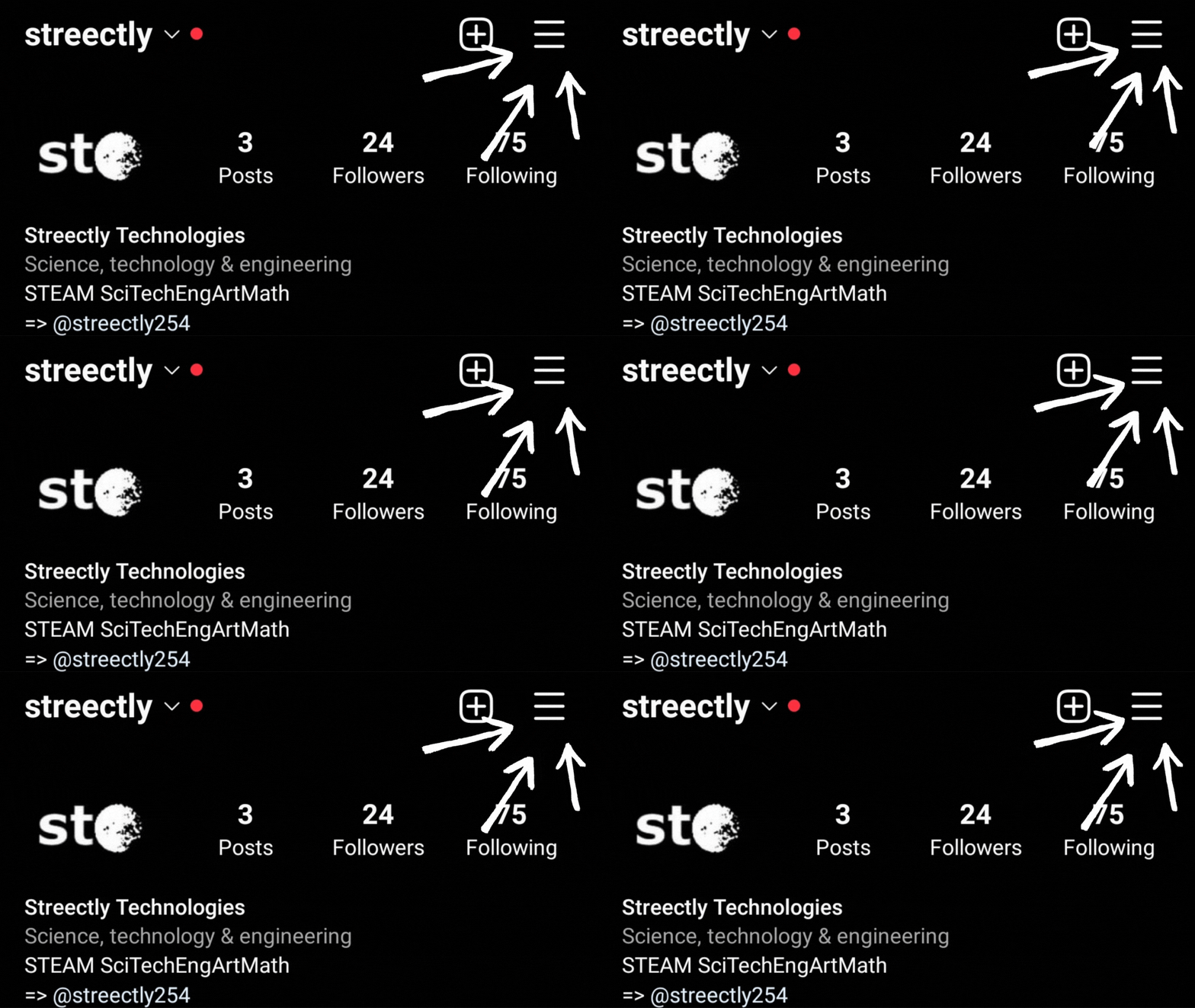
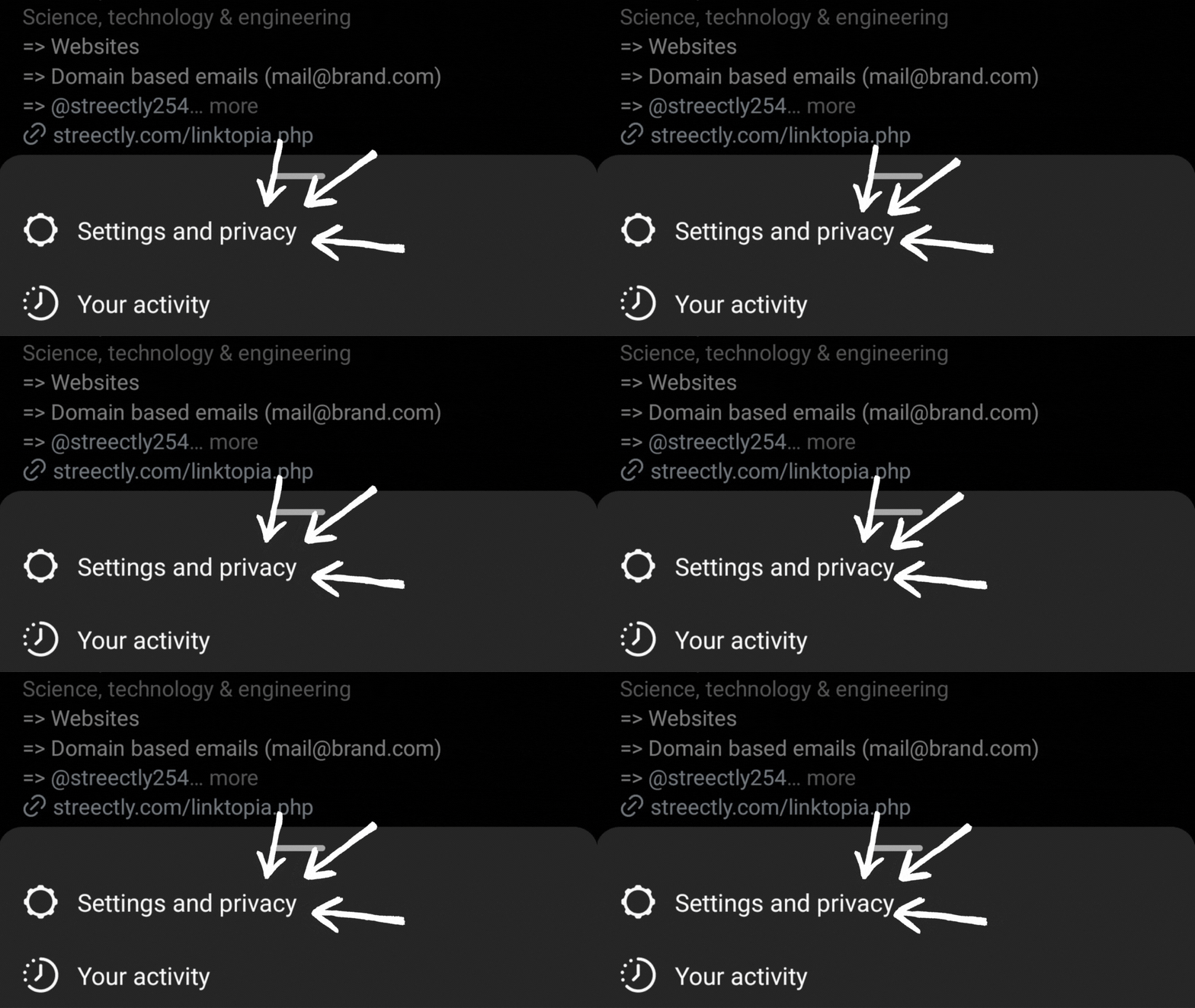
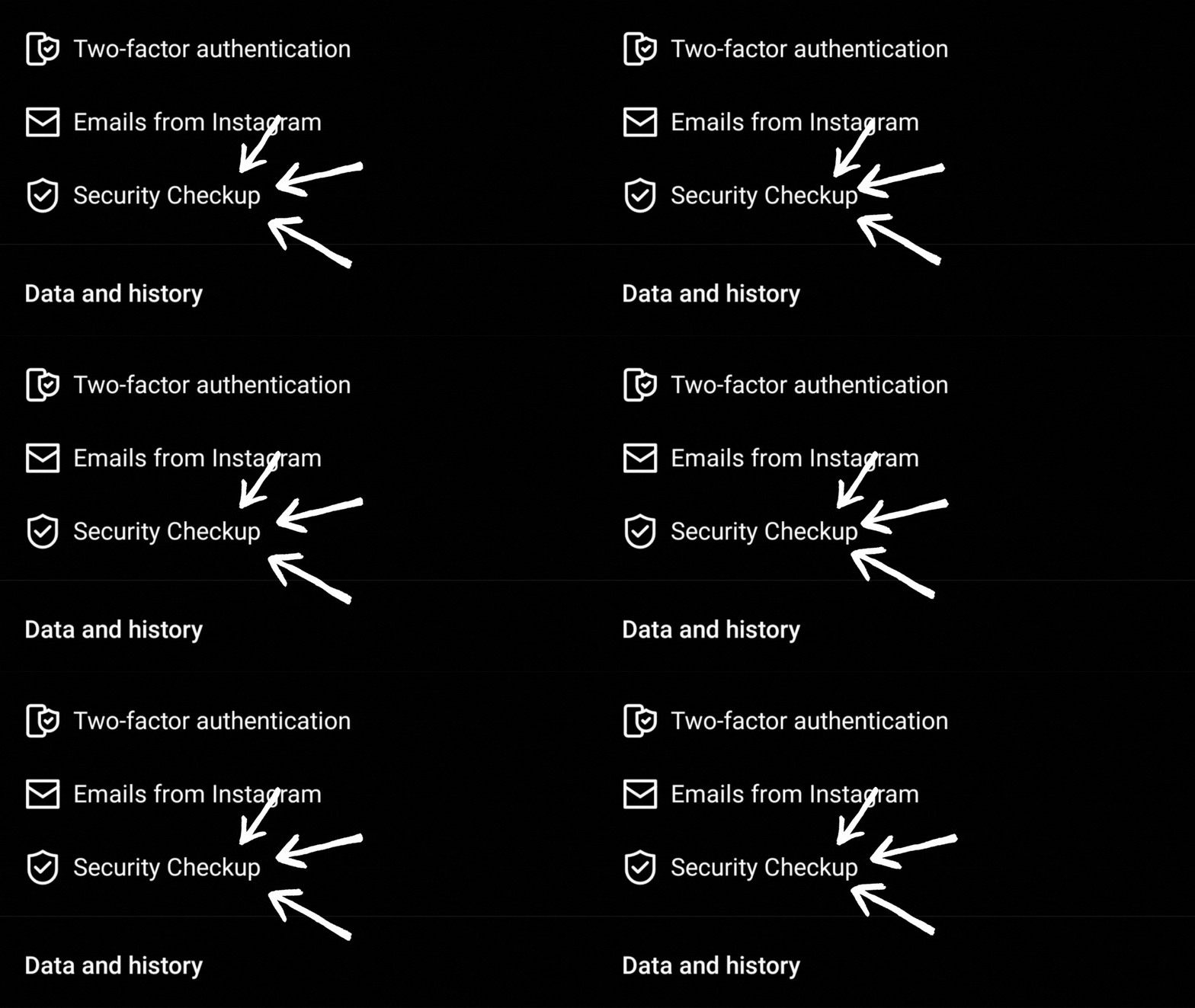
If you have setup Connected Experiences for your account, do the following to access your security checkup. If not, just skip to the next step.
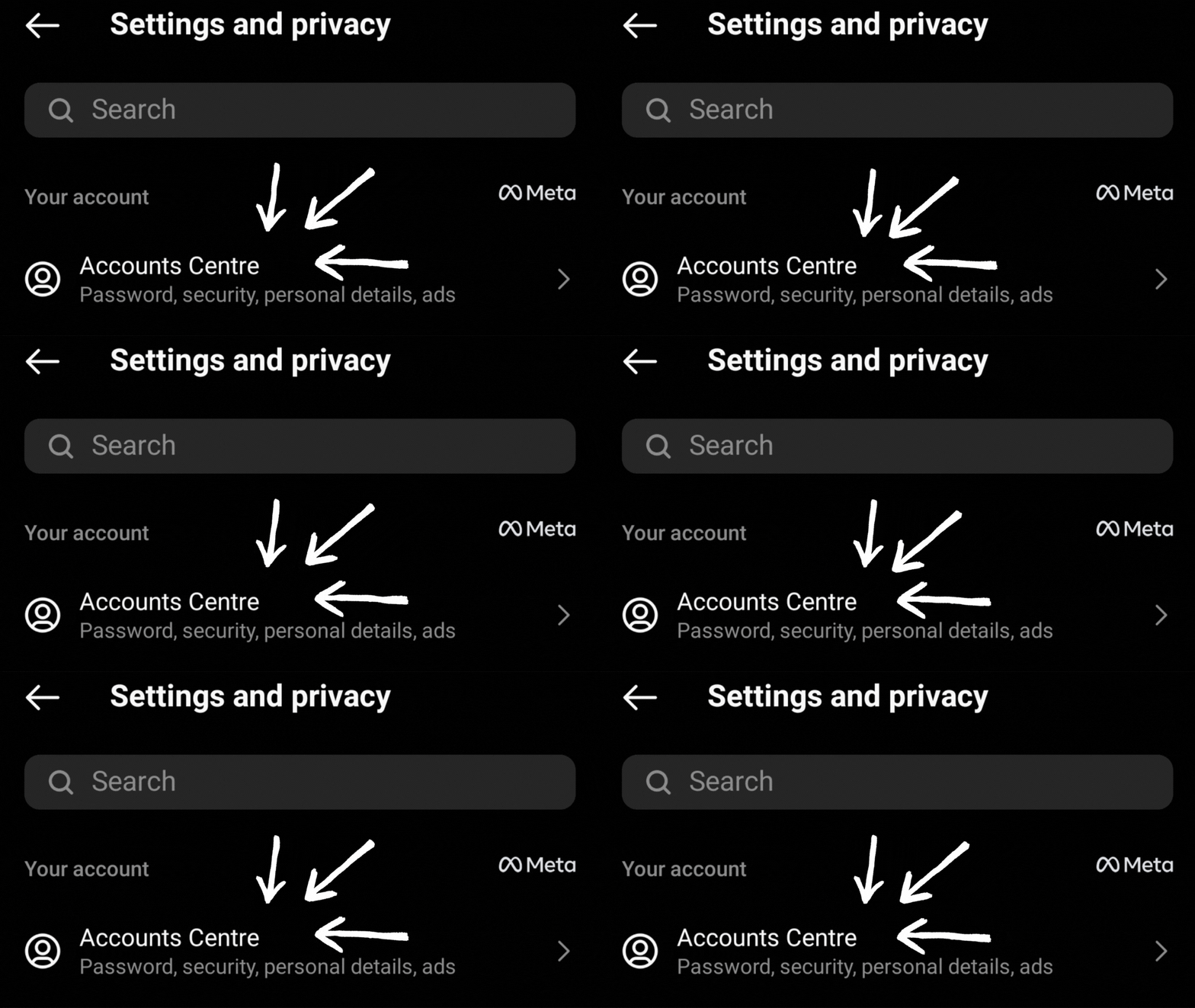
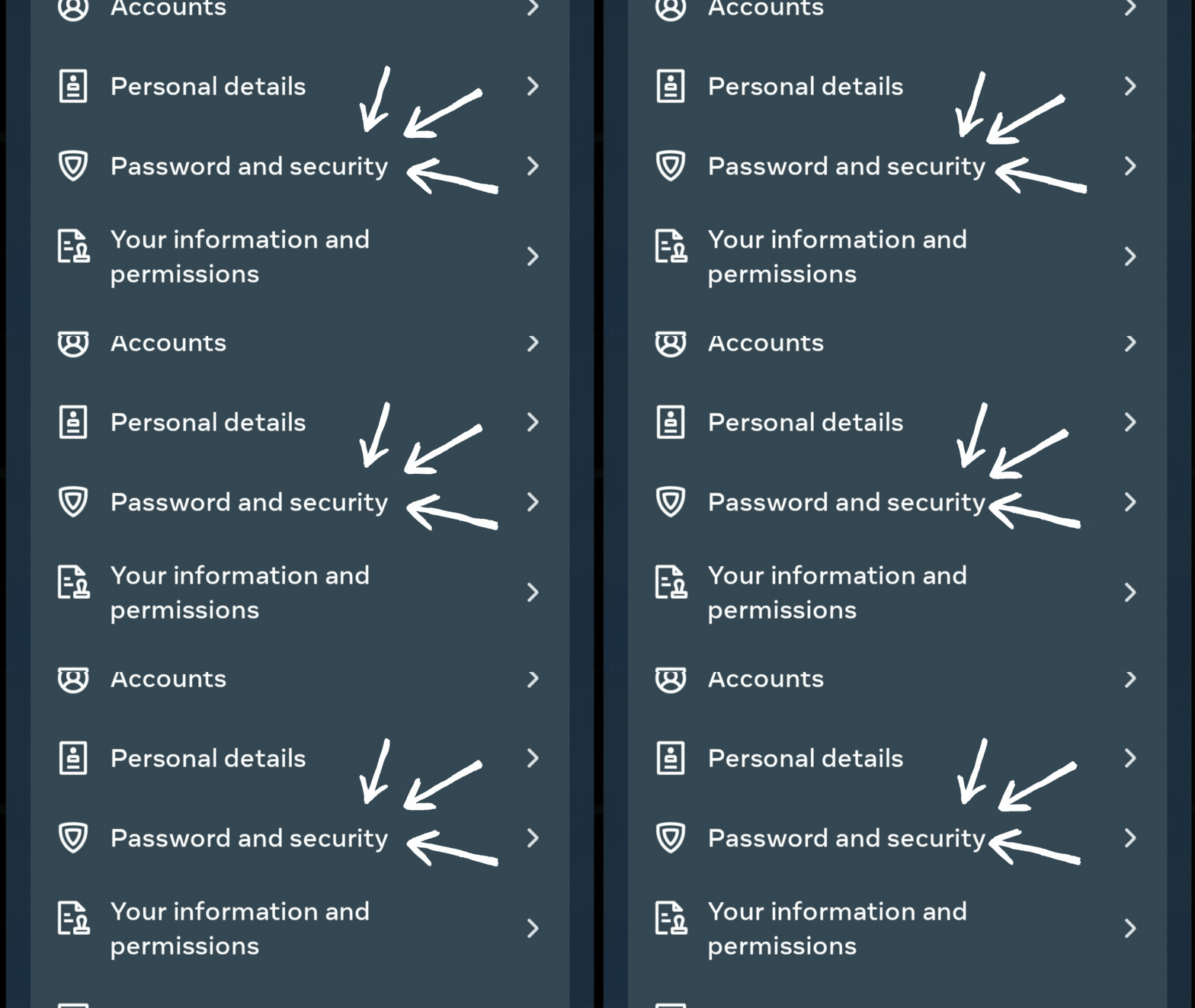
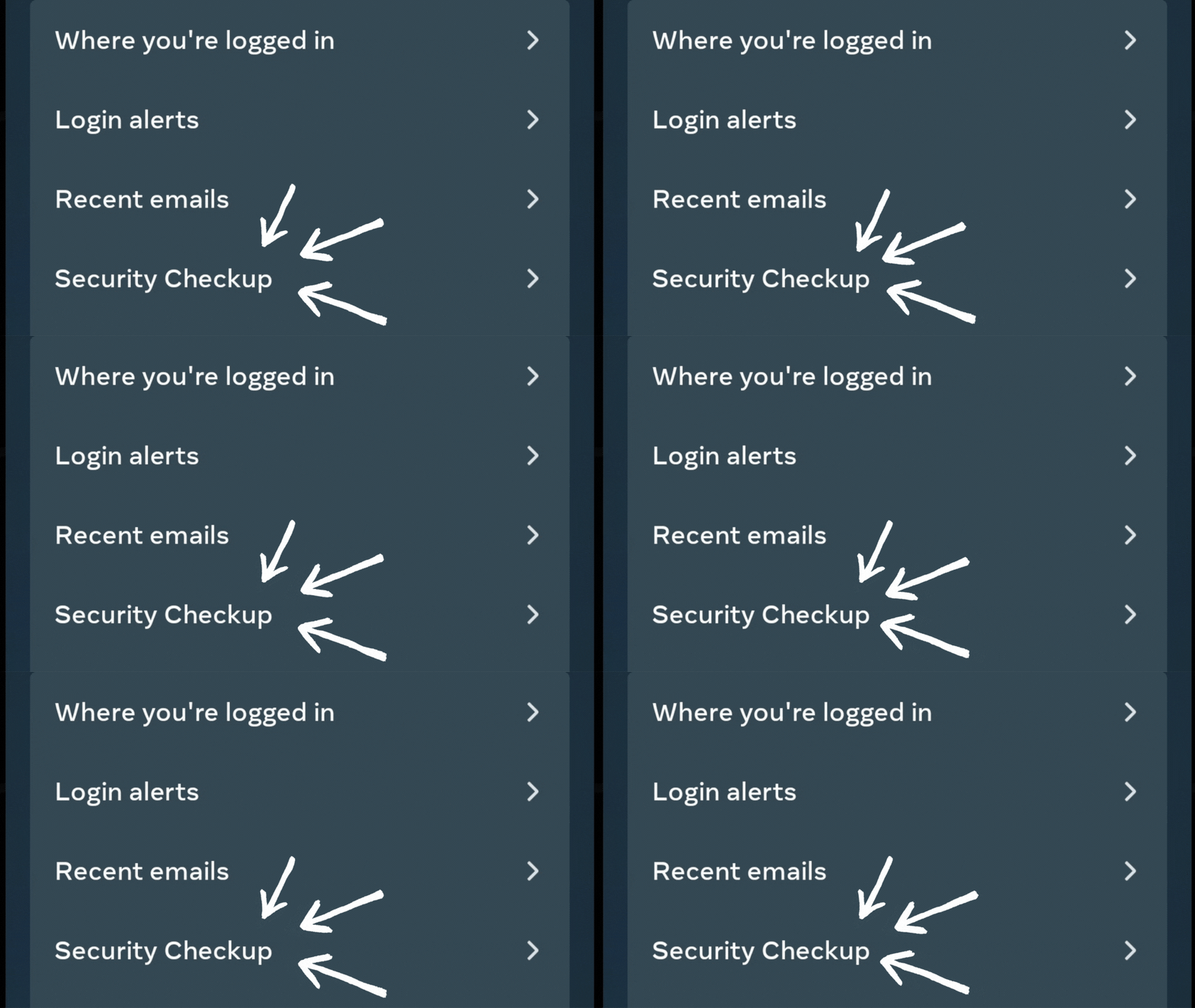
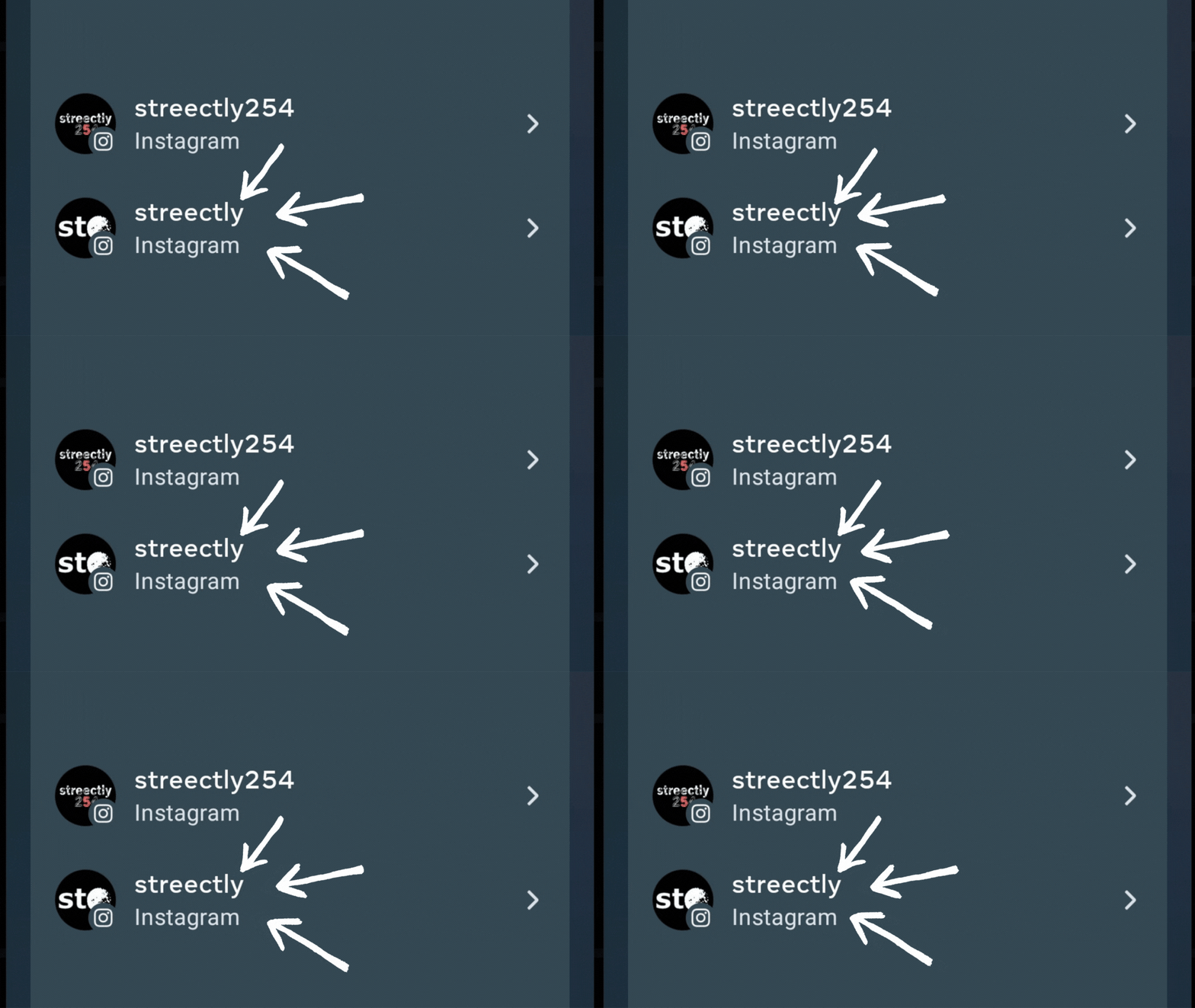
2. Awesome! Now that you're at Security Checkup, take note of the following inorder to properly use this Instagram feature:
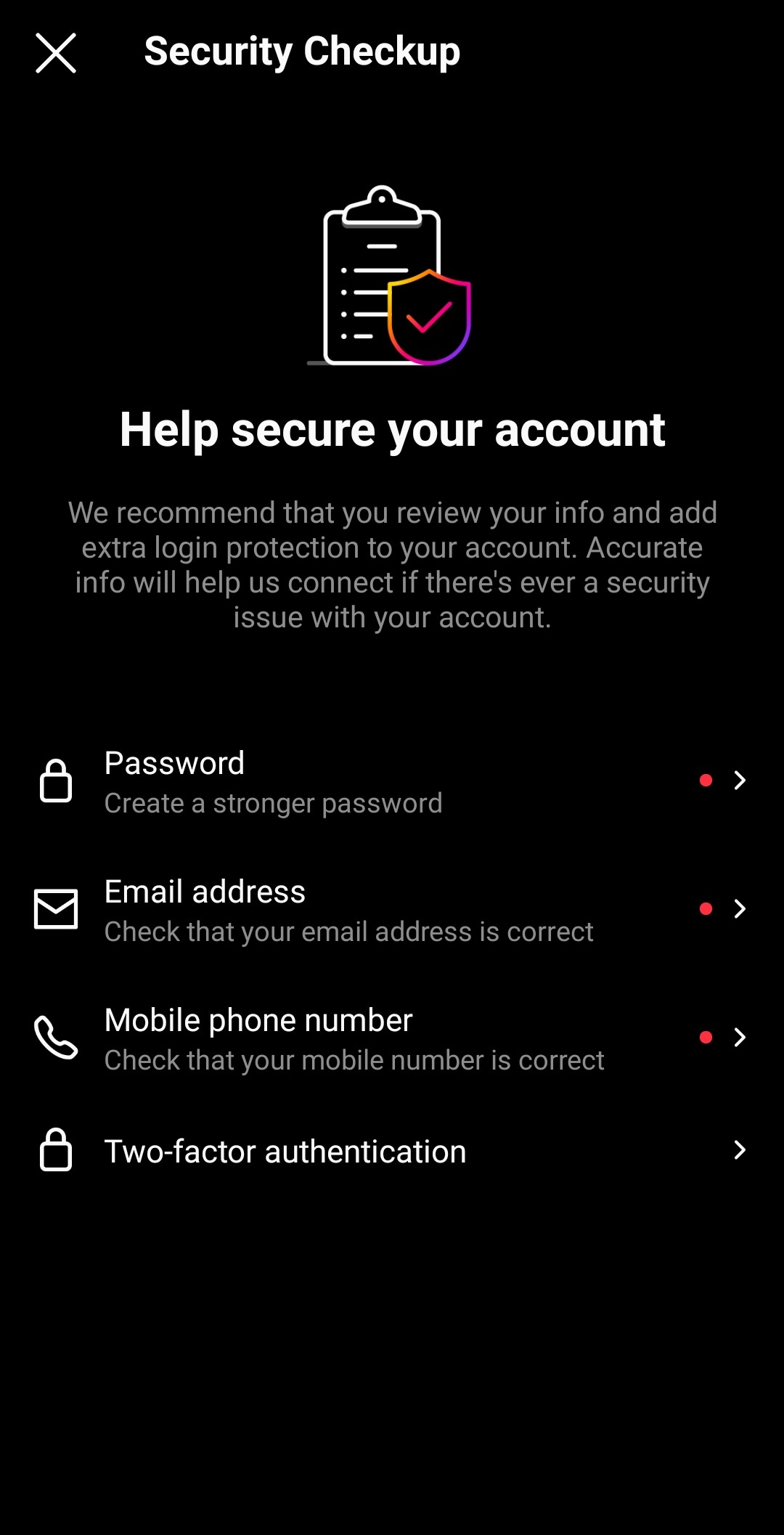
-
Use a Strong and Unique Password
Use a combination of letters, numbers, and symbols like #!$,@%. Make your password at least 6 characters long, and try to avoid repetition.
Make sure that your password is unique and not used for any other accounts. This piece of advice is cliche until the day you actually get hacked and lose access to all your accounts.
Change your password regularly, especially if you see a message from Instagram asking you to do so. Instagram does automated security checks during which they sometimes recover login information that was stolen from other sites.
If Instagram detects that your password may have been stolen, changing your password on Instagram and other sites helps to keep your account secure and protects you from being hacked in the future.
Obviously, never share your password with someone you don't know and trust especially those pretending to be Instagram customer care.
-
Email and Phone Number
Ensure your phone number and email are up to date so you'll be notified if someone tries to login as you.
Be wary of phishing scams. Phishing scams are a common way that hackers try to gain access to Instagram accounts by sending you a message or email that looks like it's from Instagram, asking you to enter your login credentials or personal information.
Always double-check the sender and be cautious of any messages that ask for your personal information.
Instagram provides a way you can confirm if an email was really sent by them. Here's how.

i. Under Security, open Emails from Instagram 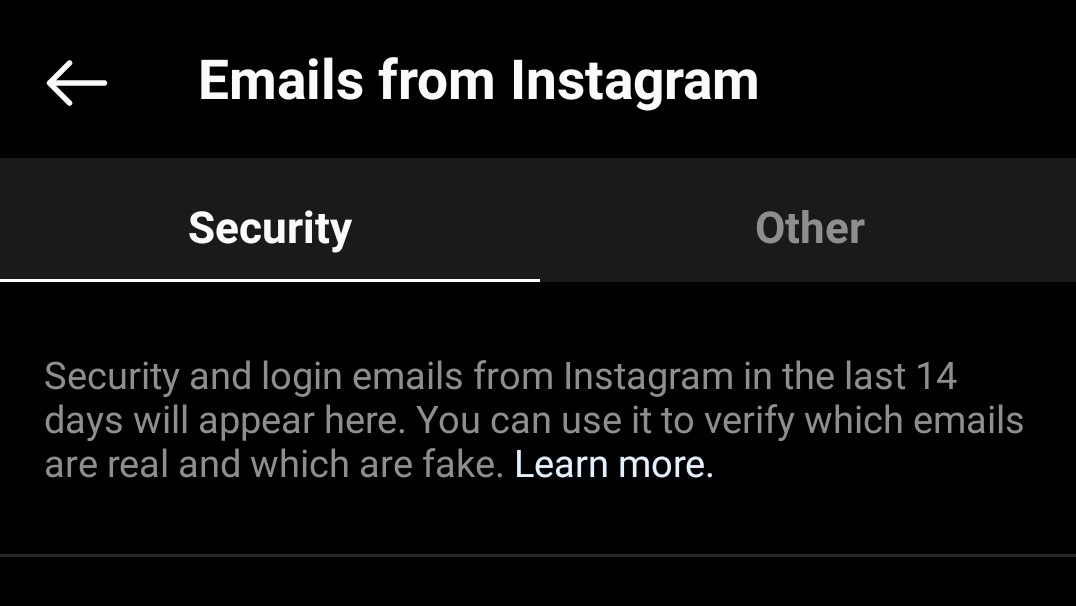
ii. Check recent emails sent by Instagram If you have setup Connected Experiences for your account, do the following to confirm Instagram emails. If not, just skip to the next step.
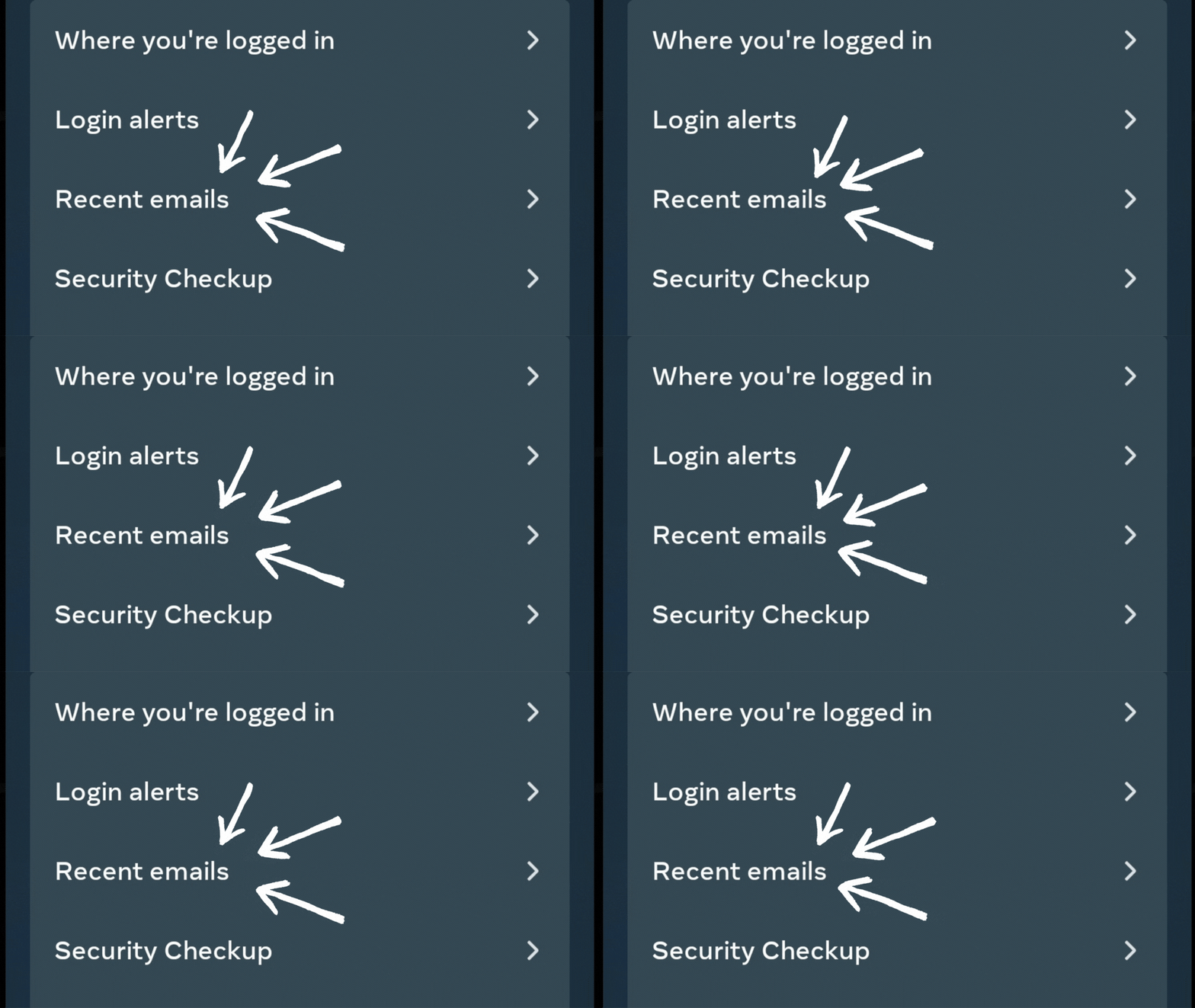
i. Under Password and security, open Recent emails
ii. Check recent emails sent by Instagram Make sure your email account is also secure. Anyone who can read your emails can probably also access your Instagram account.
-
Enable two-factor authentication (2FA)
Two-factor authentication adds an extra layer of security to your account by requiring a code in addition to your password to log in.
You can enable 2FA in your Instagram settings under the "Security" tab:
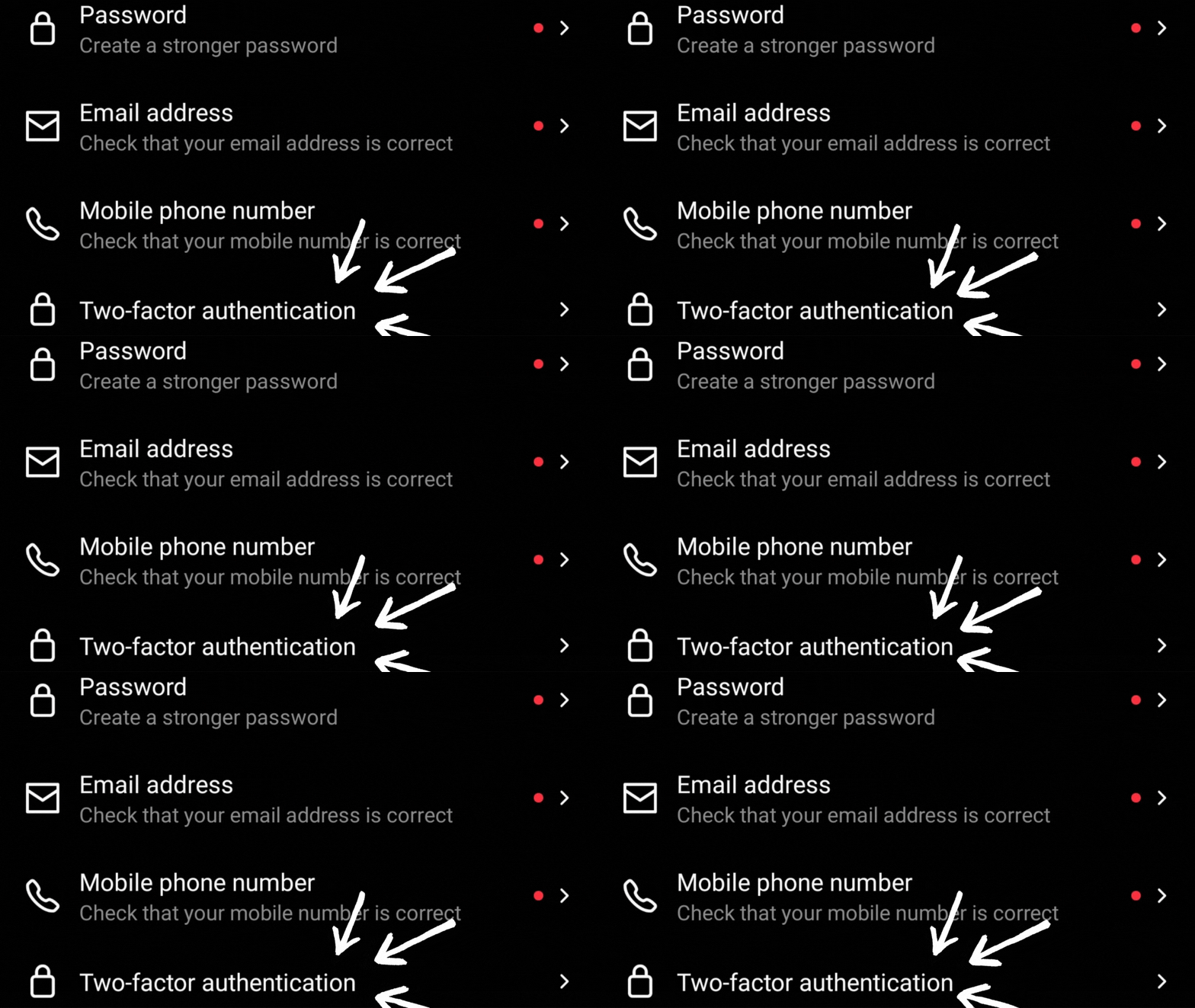
i. Under Security Chekup, open Two-factor authentication 
ii. Select Get Started 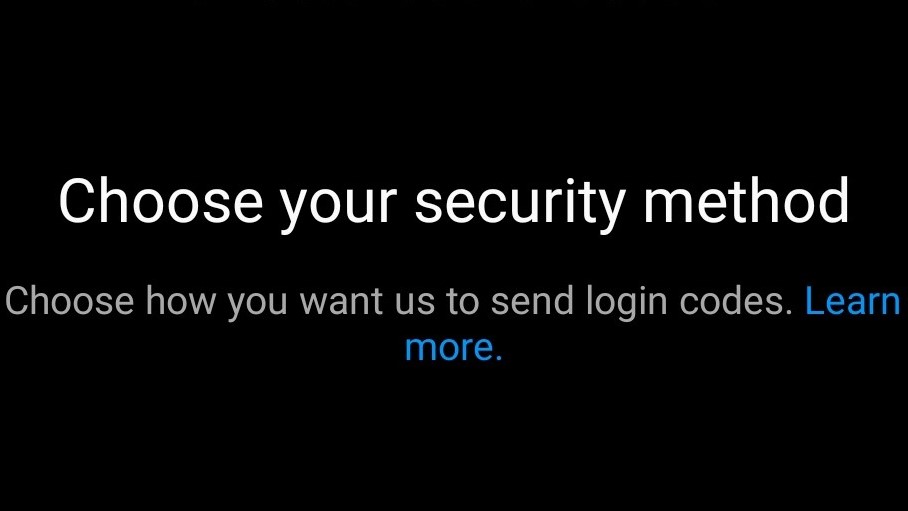
iii. Choose a security method to use 2FA 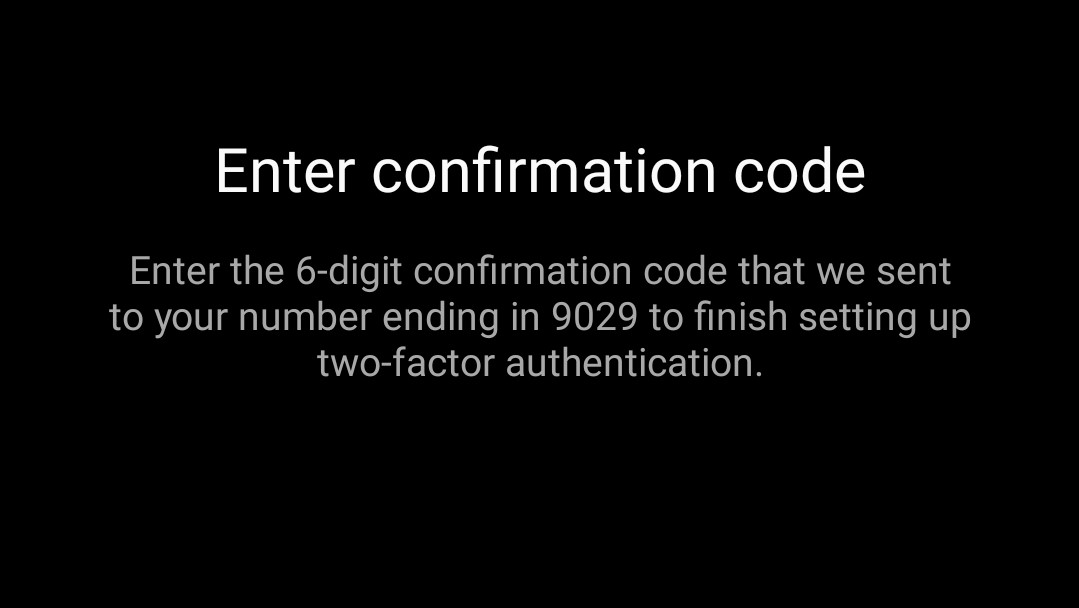
iv. Enter the confirmation code sent to you Two-factor Authentication also helps when you have lost access to your email account, phone number or forgotten your password. Here's how:
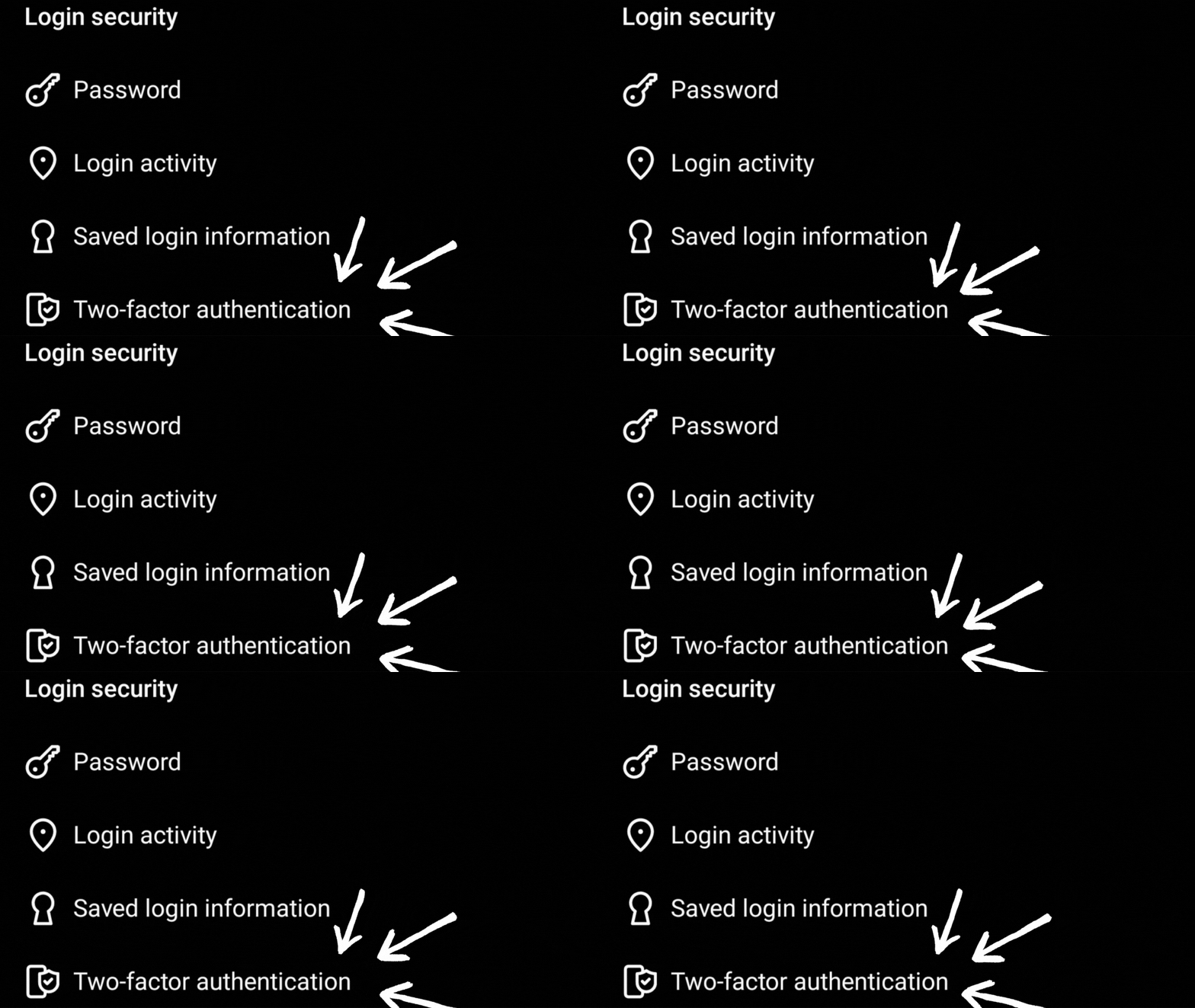
i. Under Security, open Two-factor authentication 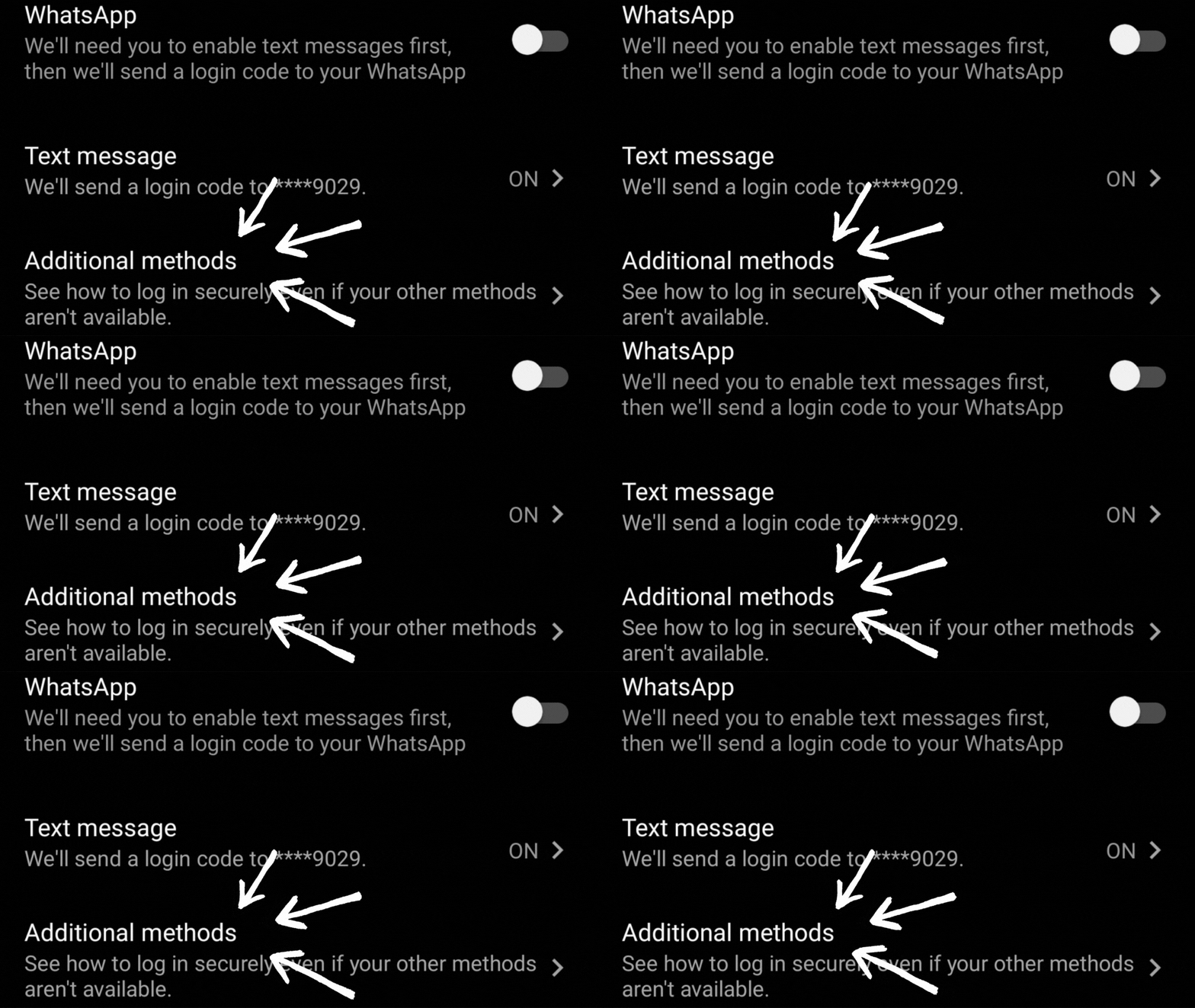
ii. Select additional methods 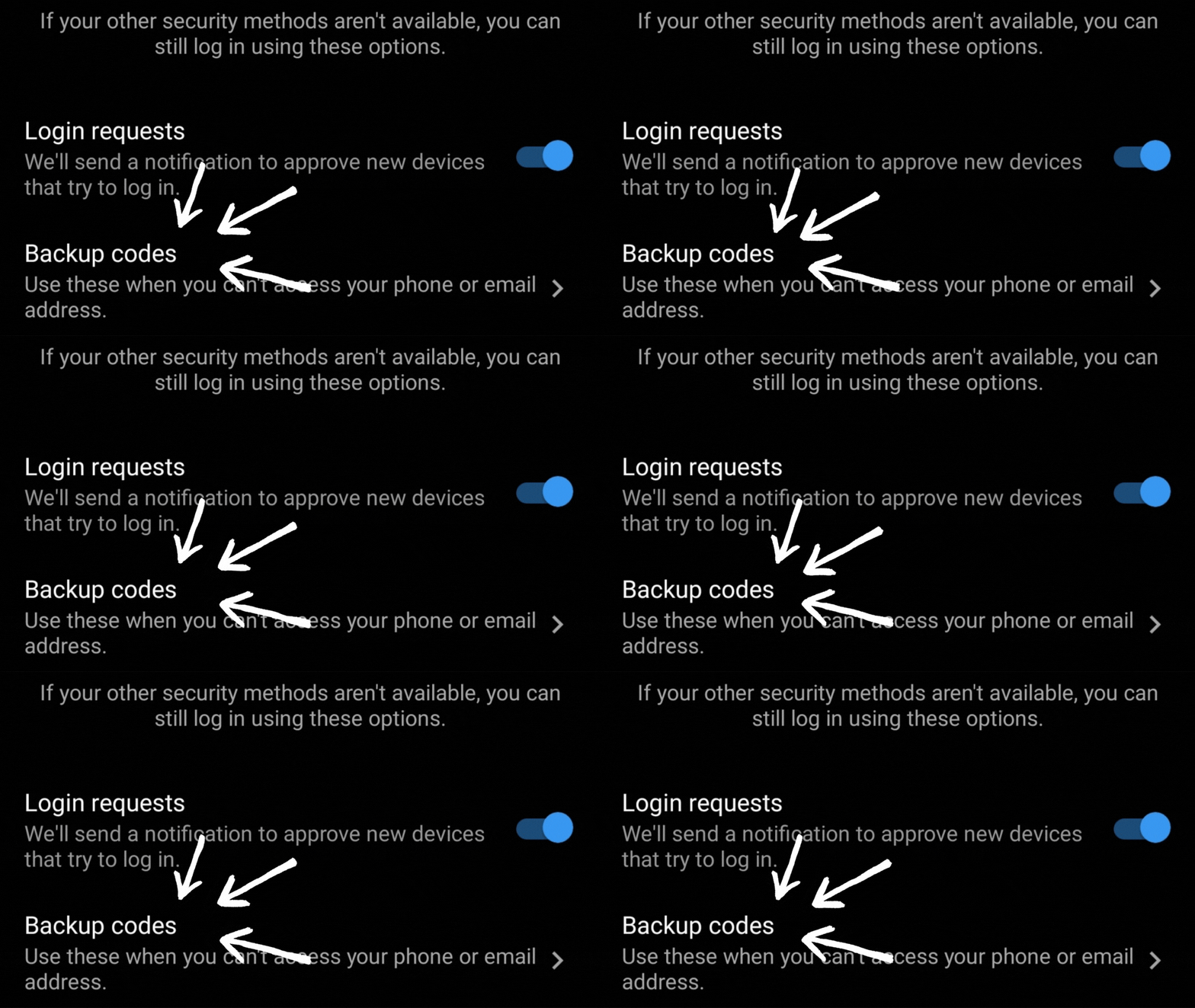
iii. Turn on Login requests and select Backup codes 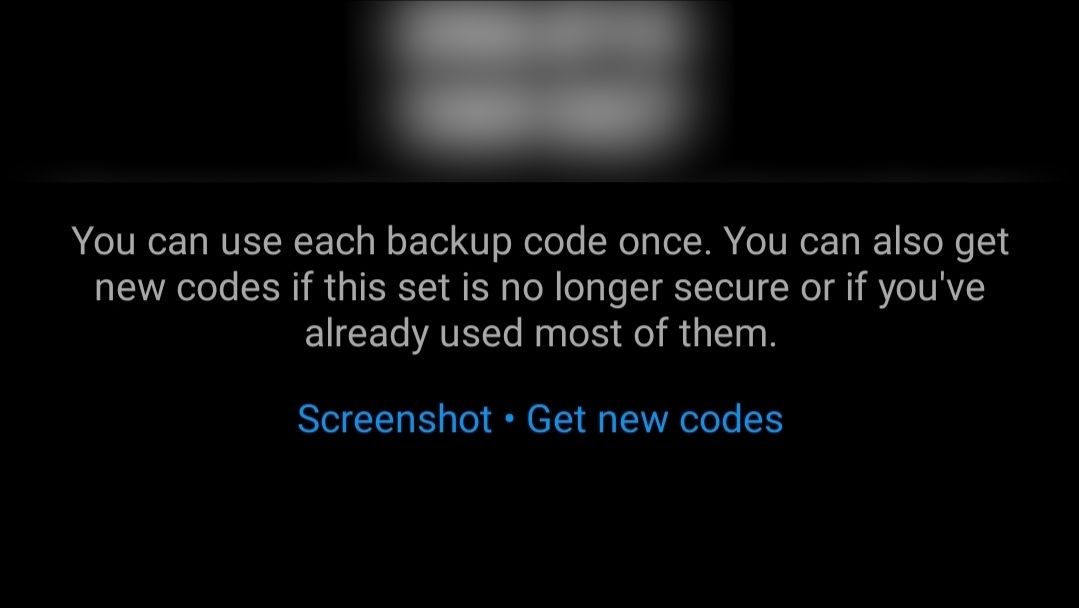
iv. Screenshot the recovery codes and save them in a SAFE location If you have setup Connected Experiences for your account, do the following instead. If not, just skip to the next step.
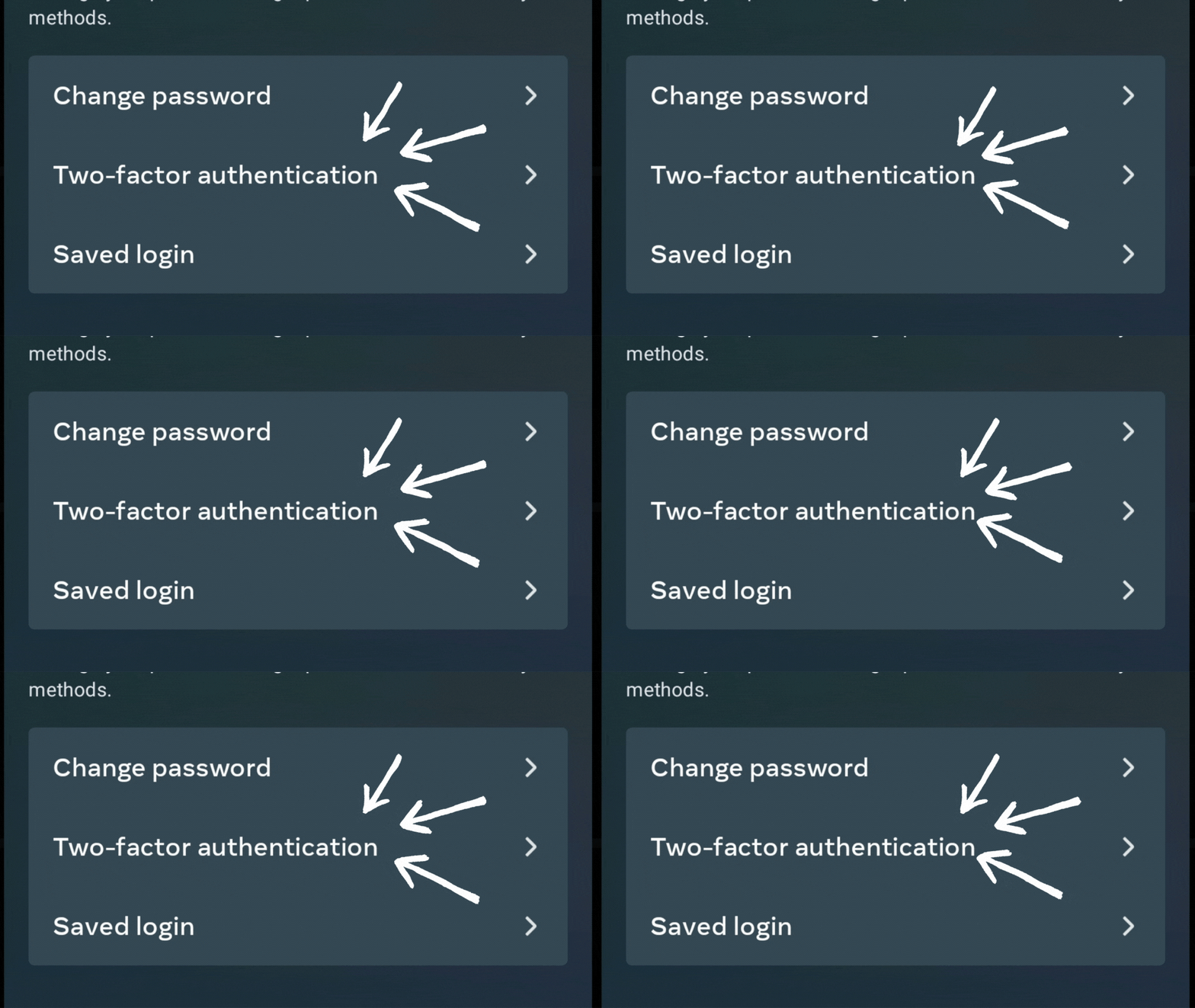
i. Under Password and security, open Two-factor authentication 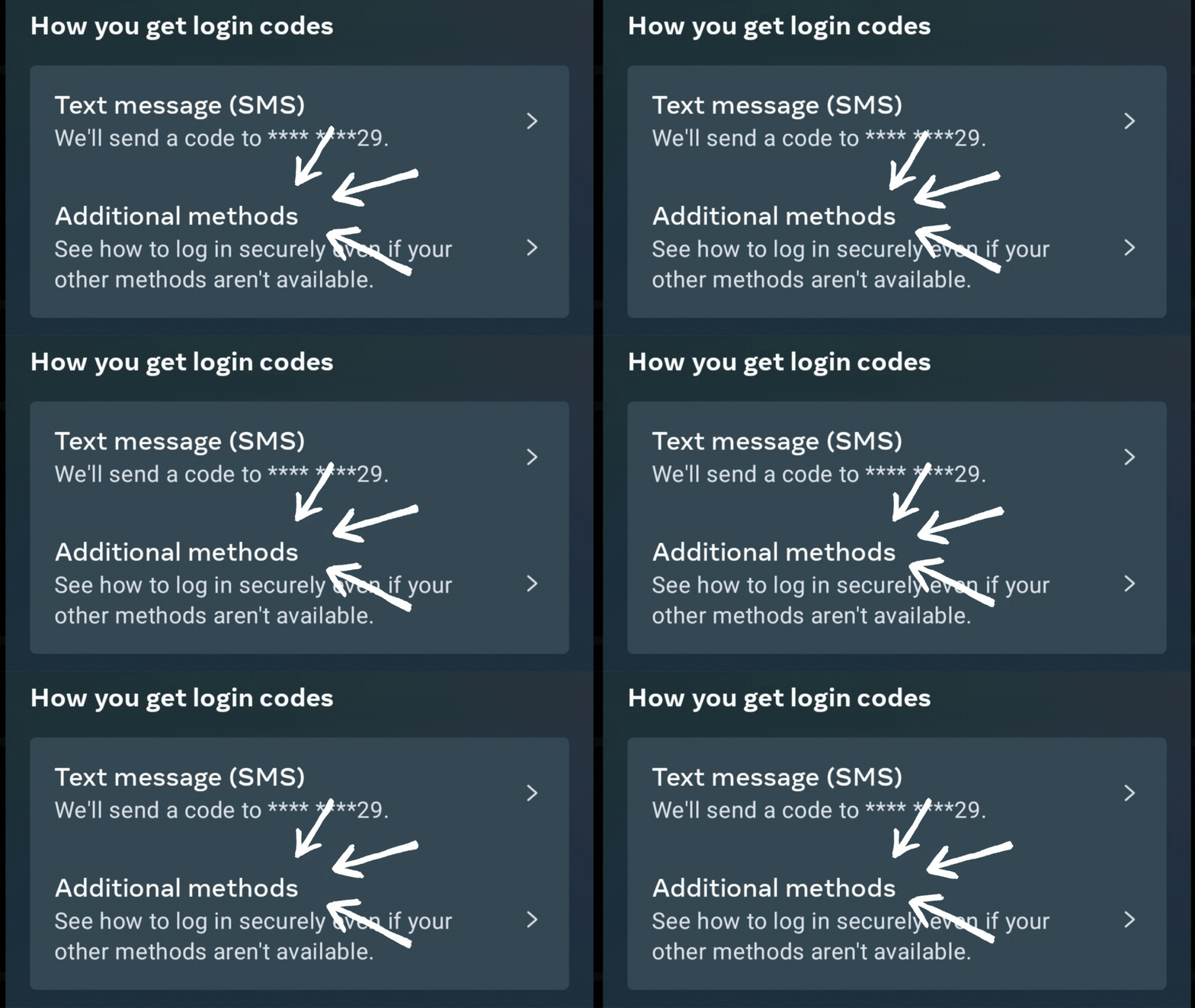
ii. Select additional methods 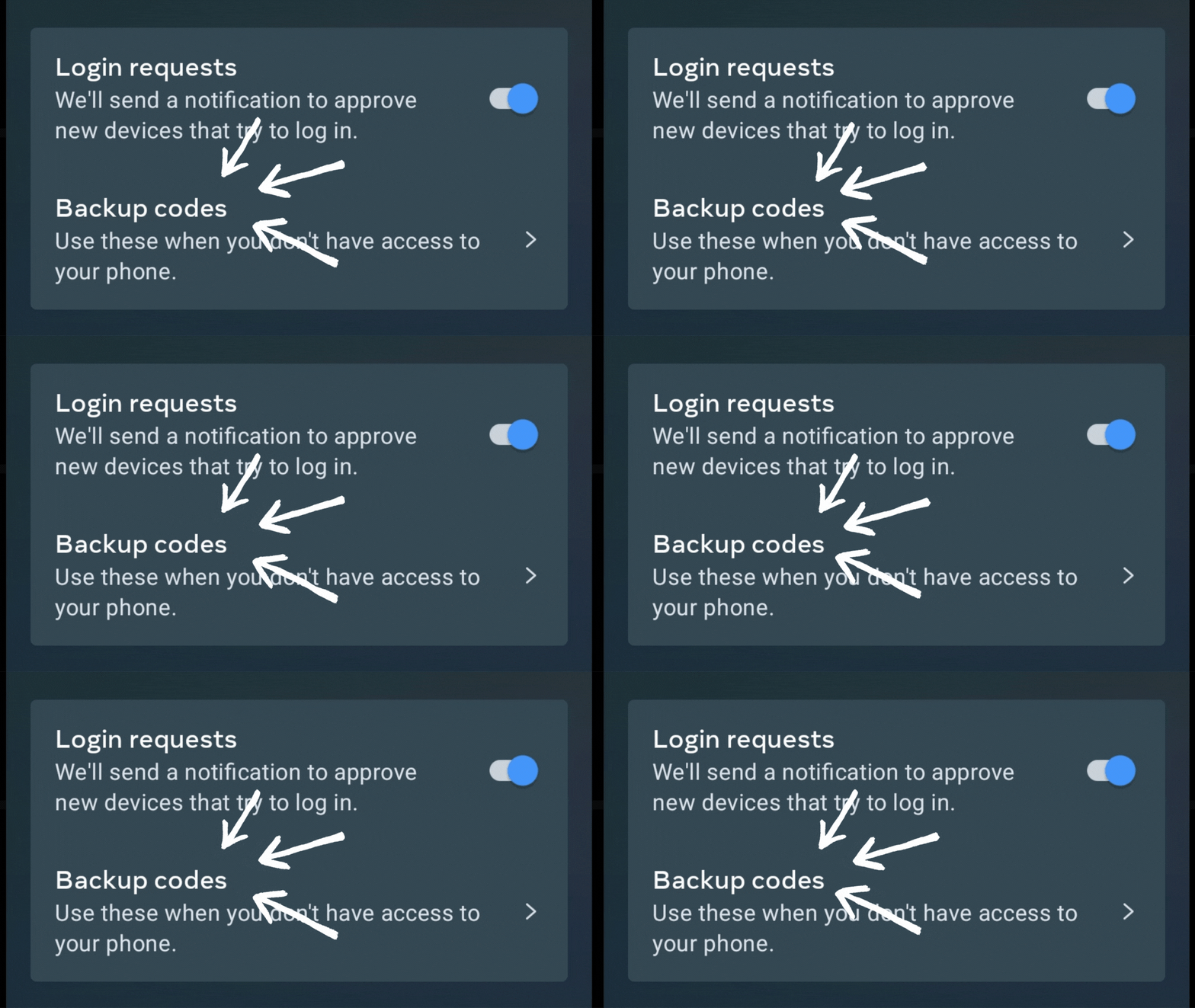
iii. Turn on Login requests and select Backup codes 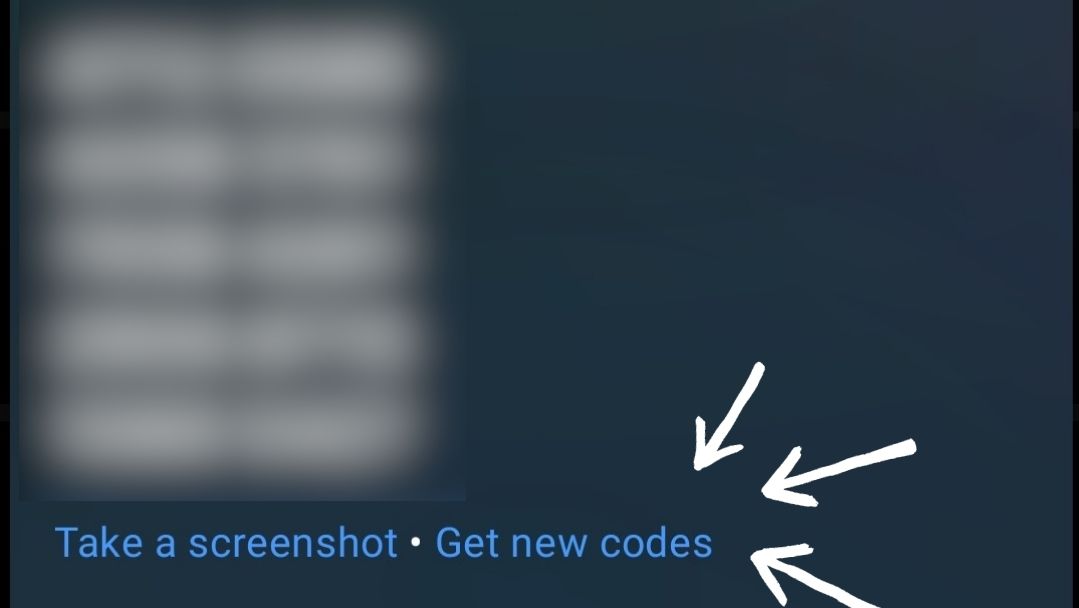
iv. Screenshot the recovery codes and save them in a safe location You can use these temporaty codes to login to your account when you loose access to your phone or the other methods don't work. So your phone's storage is NOT a safe place. Upload the screenshot to a secure hard drive or secure cloud service.
2. Protect Your Login Credentials
-
Think before you authorise any third-party app
Don't link your Instagram account to third party apps unless they are an IG partner.
Be cautious of third-party apps that claim to provide additional Instagram features or analytics. These apps may ask for access to your Instagram account and personal information.
If you give these apps your login information, whether with an access token or by giving them your username and password, you leave yourself vulnerable to a hack. They can gain complete access to your account.
Here's how you can check the apps you've linked to your Instagram account:
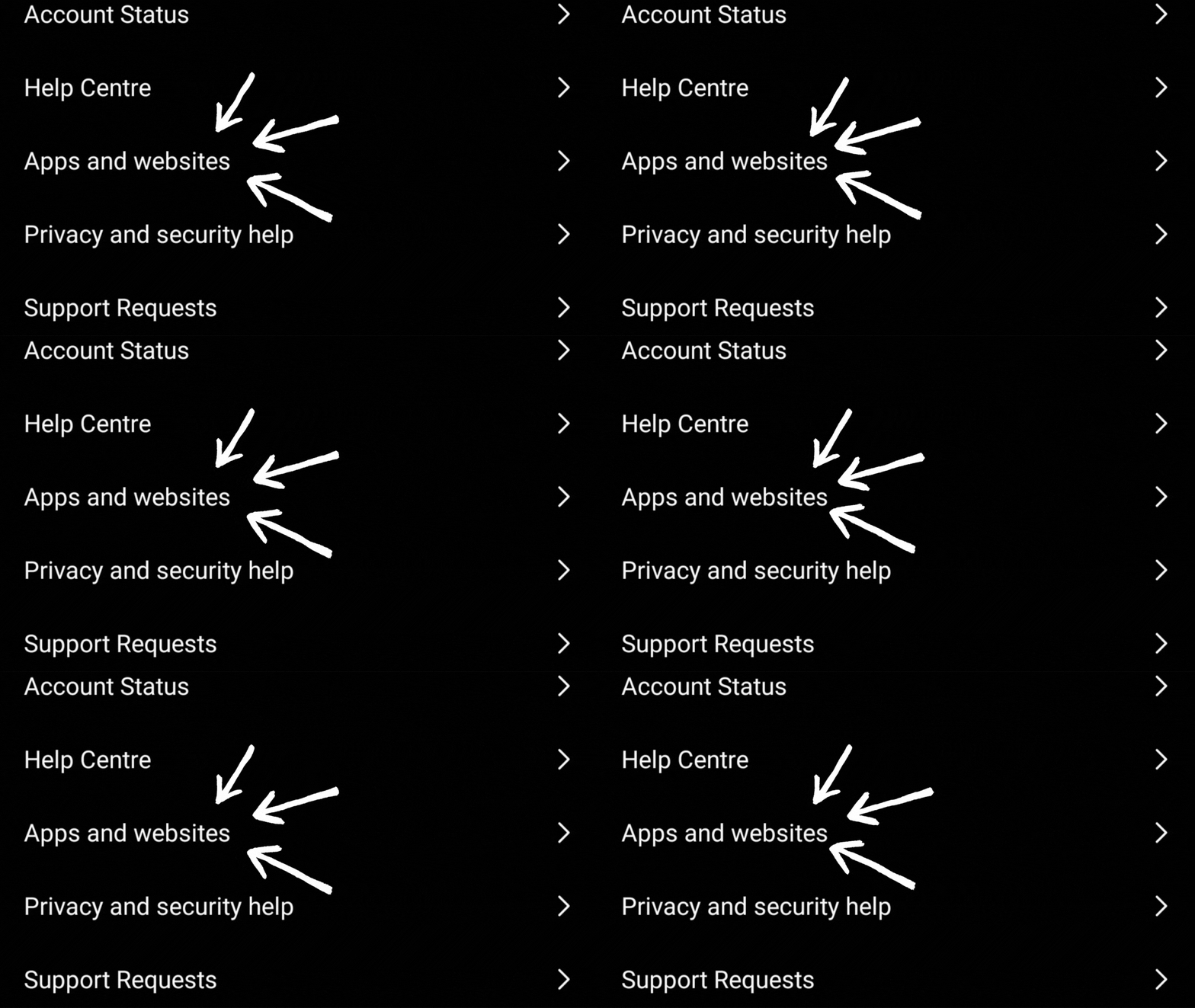
i. Under Settings, open Apps and websites 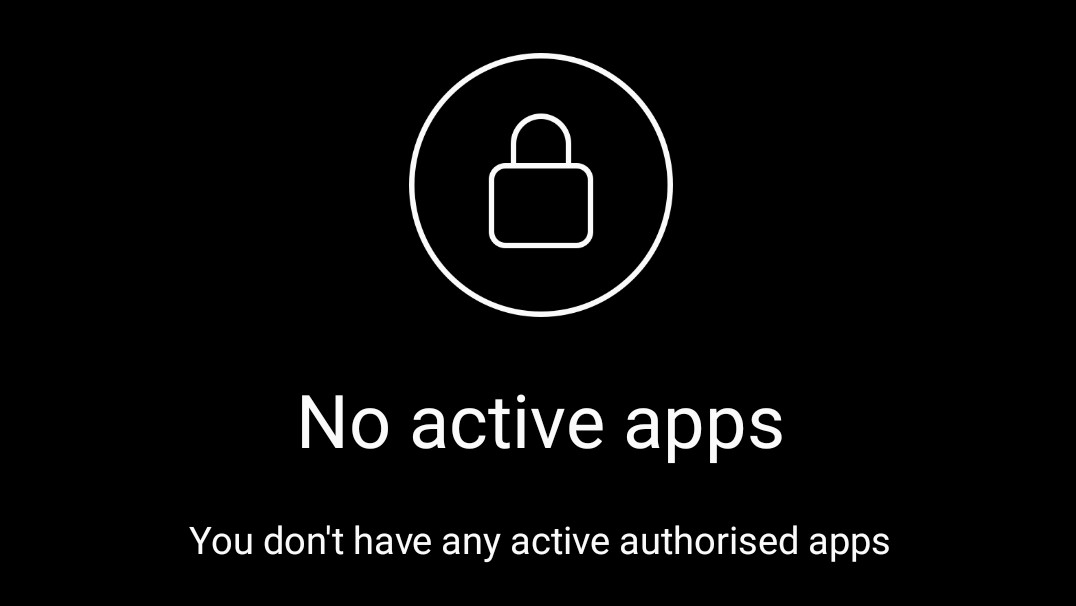
ii. Remove any app that you don't trust If you have setup Connected Experiences for your account, do the following instead. If not, just skip to the next step.
i. Open Settings and privacy 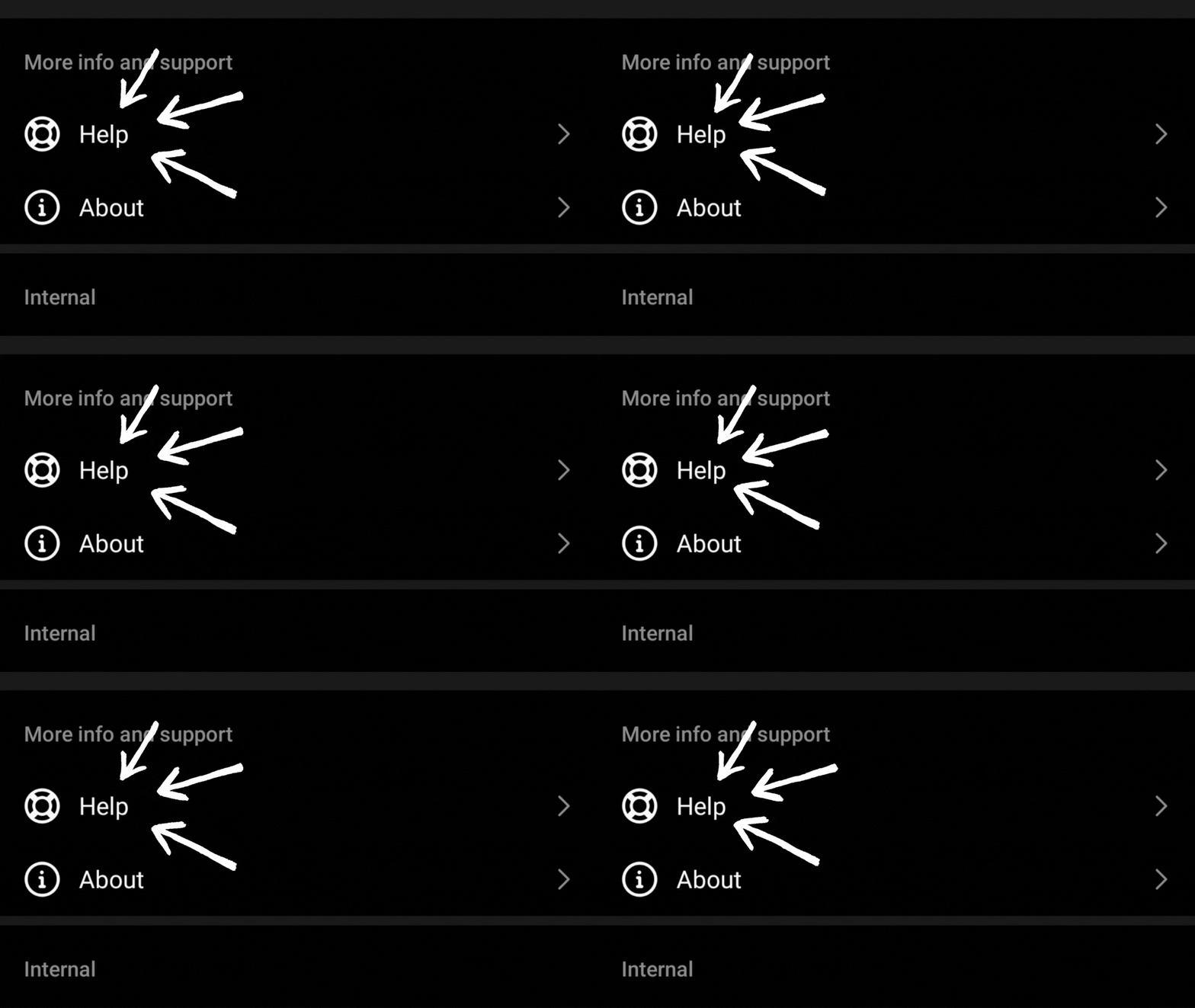
ii. Scroll down and select Help
iii. Open Apps and websites
iv. Remove any app that you don't trust -
Monitor Your Account Activity
1. Monitor you login activity:
See where and on what devices you account has been logged in. If you don't recognise a device or location, click the 3 dots and logout (locations are sometimes not accurate).
If you suspect you might be hacked, change your password immediately and visit the Instagram Help Center.
Here's how to check your account logins:
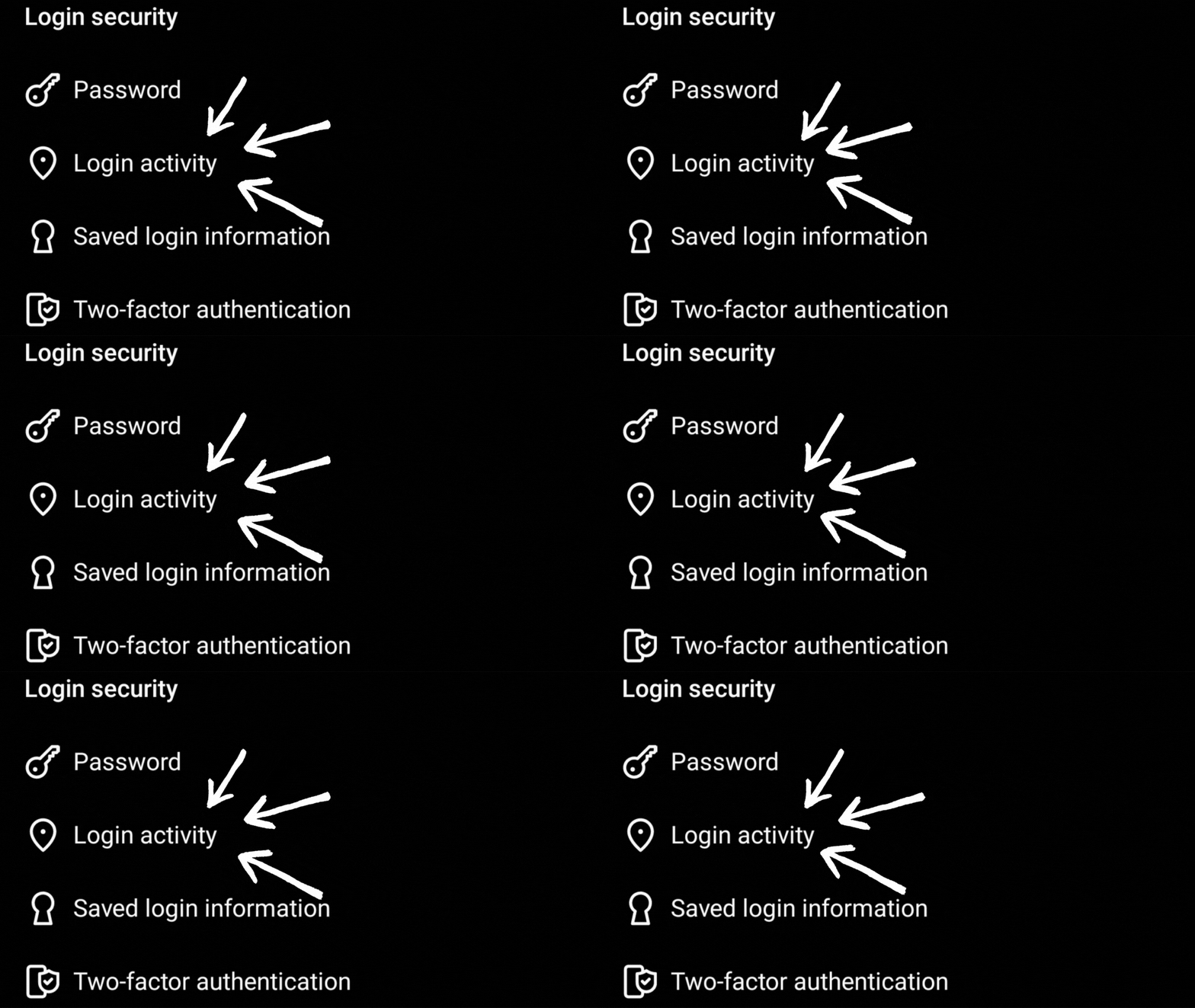
i. Under Security, open Login activity 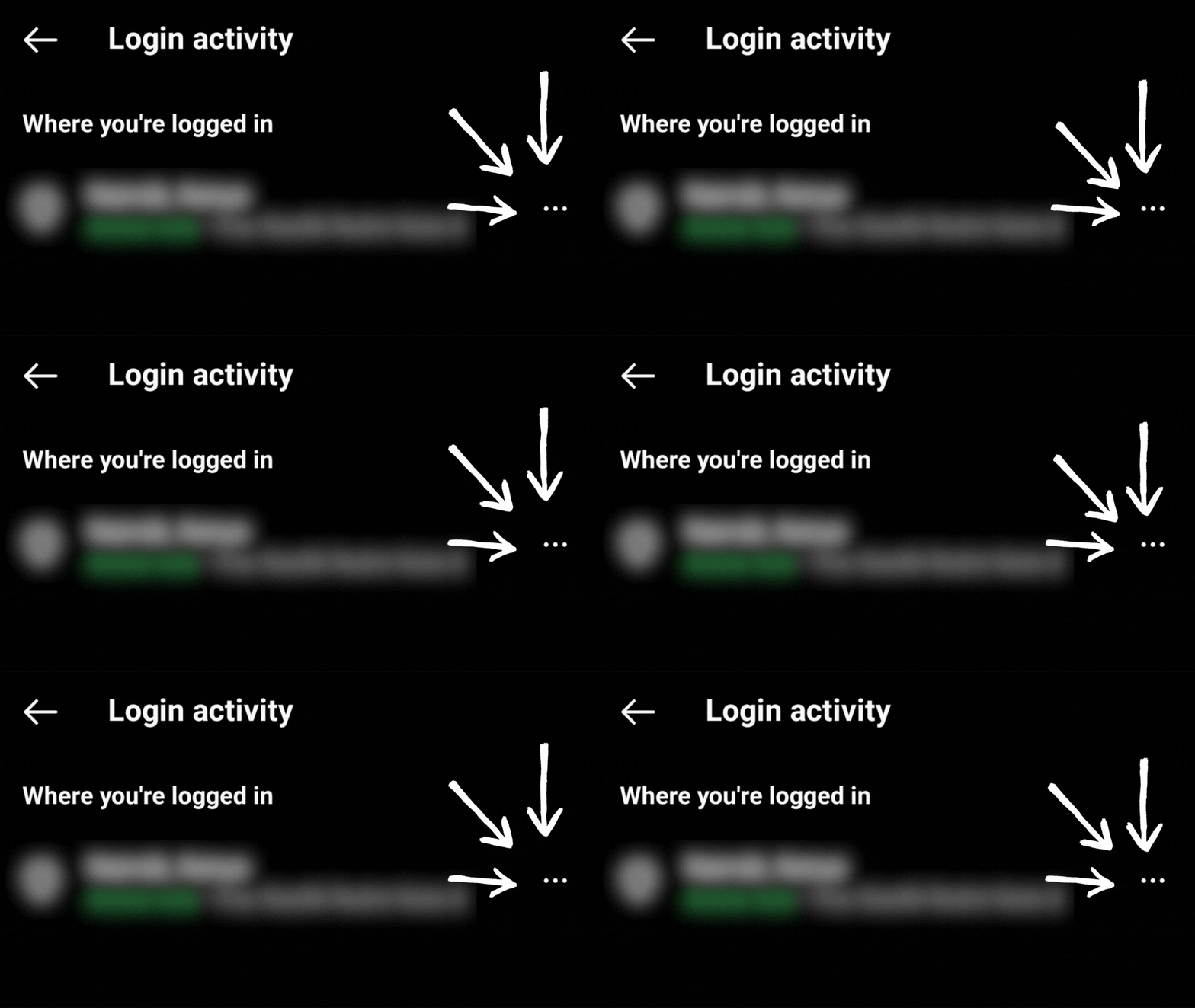
ii. Logout of any device you no longer use or don't recognise If you have setup Connected Experiences for your account, do the following instead. If not, just skip to the next step.
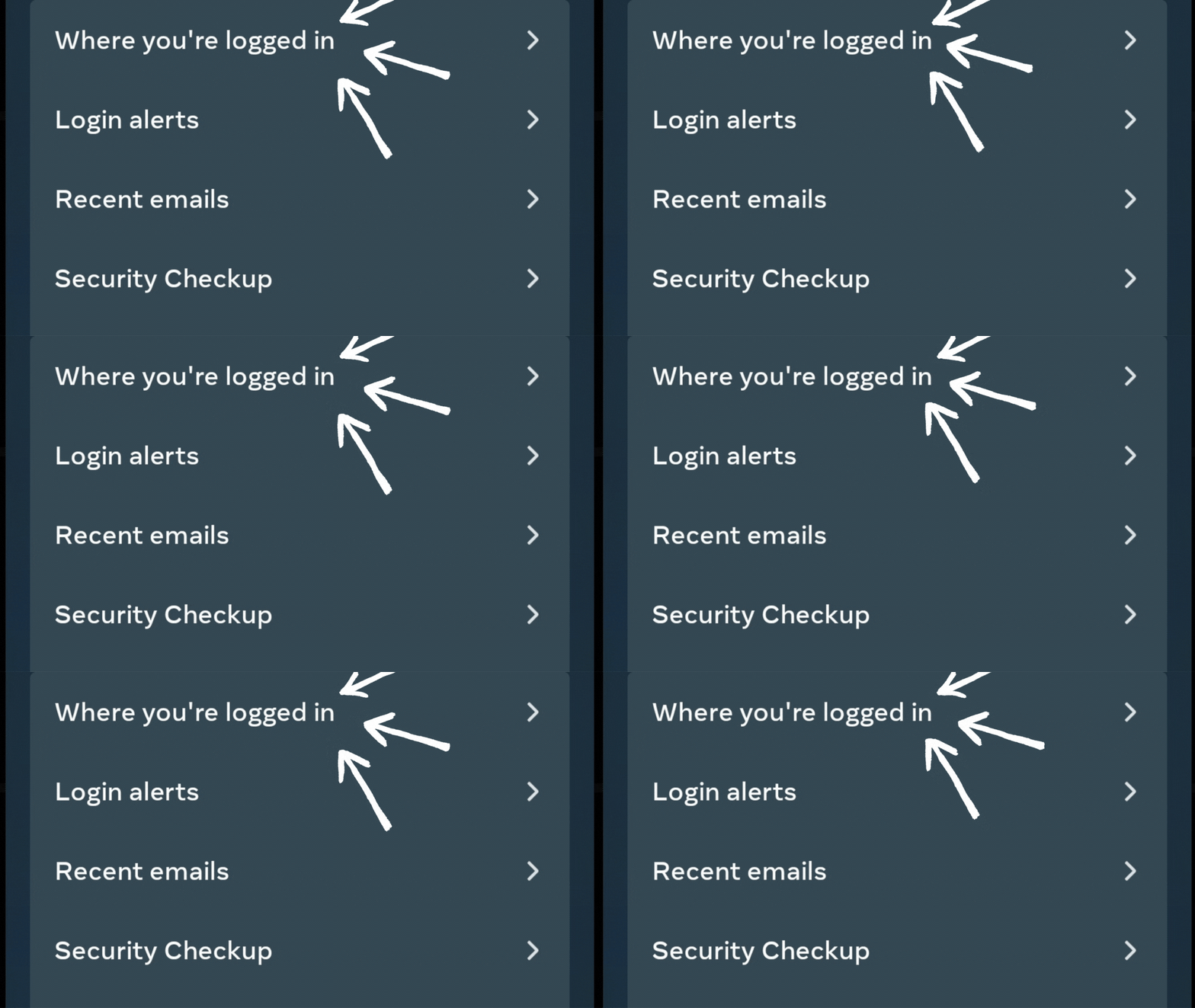
i. Under Password and security, open Where you're logged in 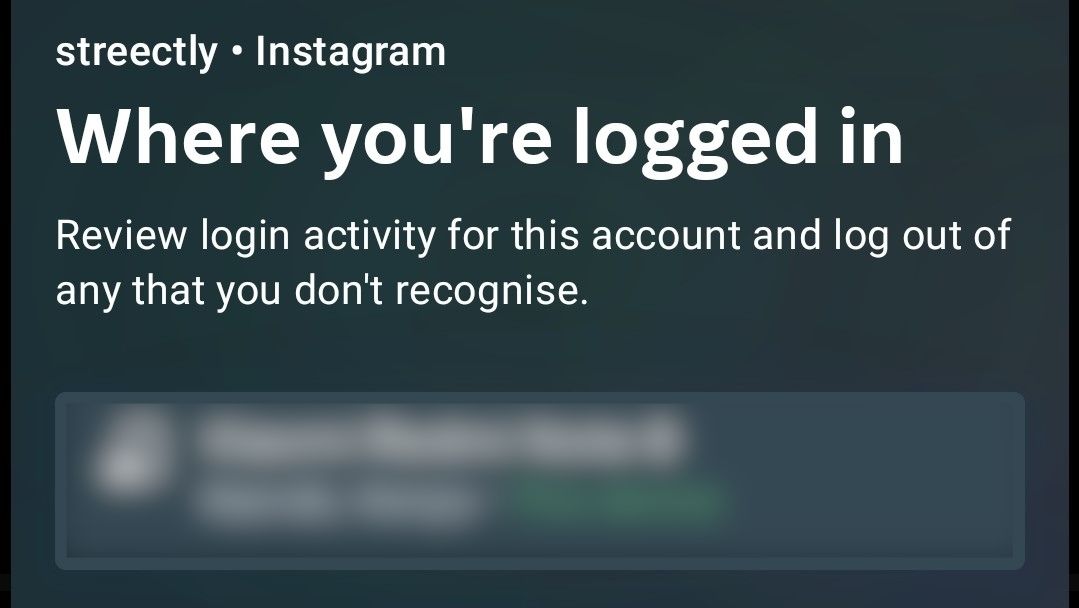
ii. Logout of any device you no longer use or don't recognise Remember! When logging in from a public/shared computer or phone, do not check the " Remember me" box, as this will keep you logged in even after you close the web browser.
2. Also check your account activity:
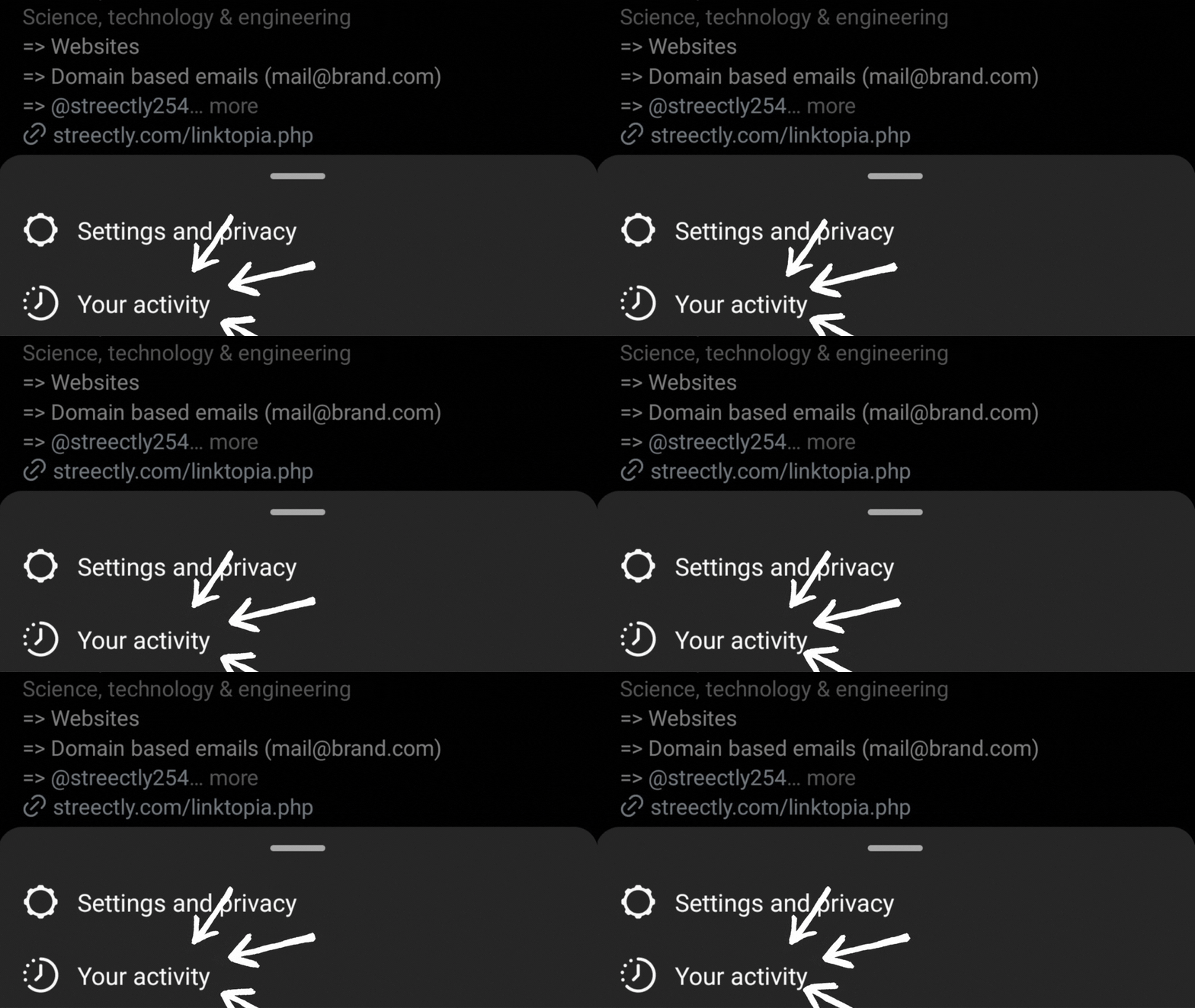
i. Under account menu, select Your activity 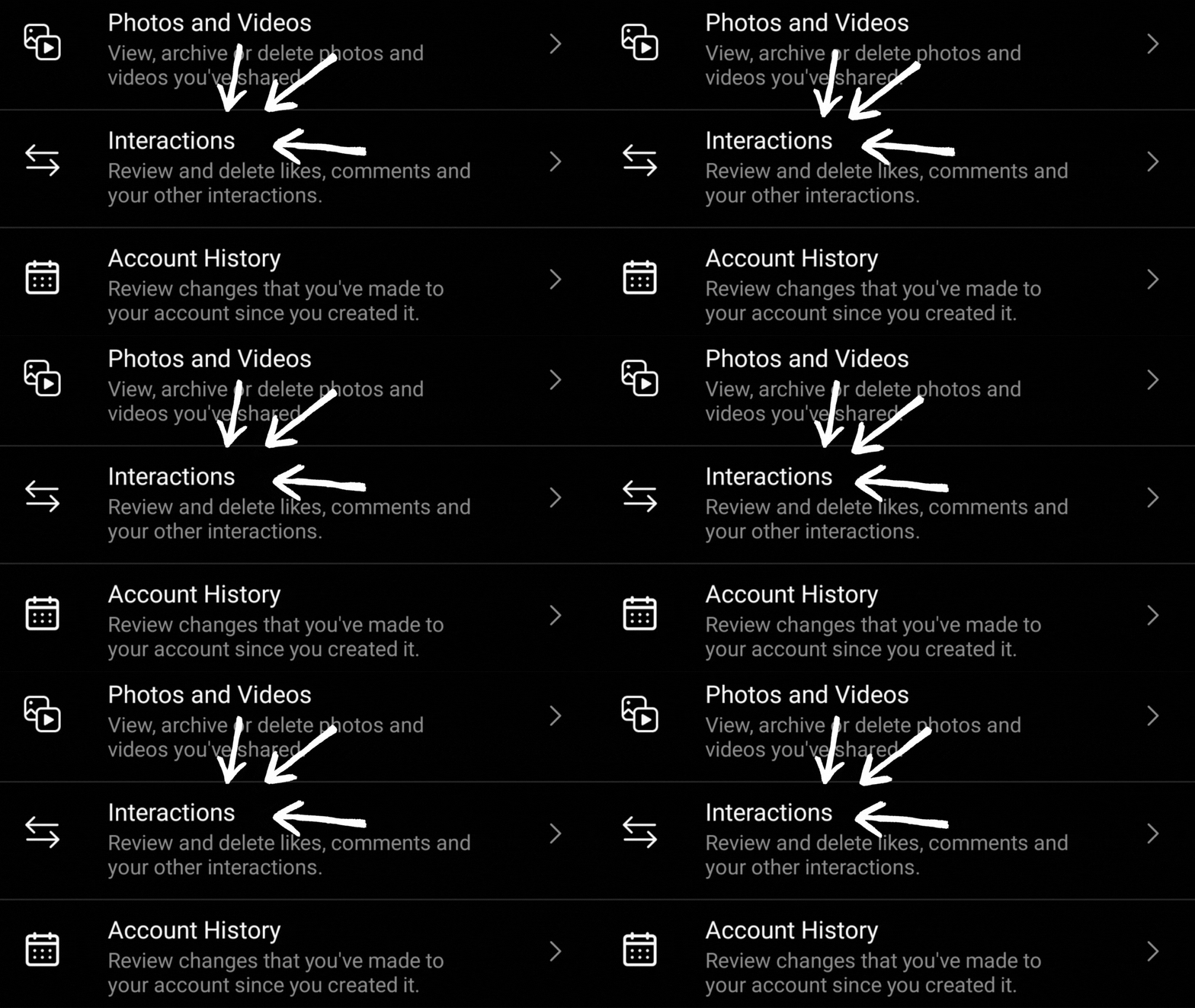
ii. Review your Interactions to see if you recognise them -
Don't Share Your Login Information
Never share your Instagram login information with anyone, even if they claim to be an Instagram representative. Instagram will never ask for your login credentials or personal information via email, direct message(DM) or phone call.
3. Other Tips to Maximise Security
-
Keep Your Apps and Device Updated
Keeping your Instagram app and device updated can help protect against potential security vulnerabilities. Updates often contain security patches that address known issues and protect against potential hacks.
-
Download Your Data
You can keep a backup of your data by requesting a copy of everything you've shared on Instagram in a machine readable HTML or JSON format. Learn how to at the Instagram Help Center.
-
Use a Password Manager
Instagram security can be improved by using a strong and unique password, but remembering a complex password can be difficult.
A password manager can help by generating and storing complex passwords for you. Here are some steps to improve your Instagram security using a password manager:
- Choose a reputable password manager: There are many password managers available, but choose one from a reputable company that has a strong track record of security. Bitdefender provides award-winning security products and threat intelligence for people, homes, businesses and their devices, networks and cloud services including a password manager. ? NOT SPONSORED
- Create a strong master password: This is the password that unlocks your password manager. Make sure it is long, complex, and unique.
- Generate unique passwords for each account: Use your password manager to generate a strong and unique password for your Instagram account. This ensures that even if one of your passwords is compromised, your other accounts remain secure.
- Enable two-factor authentication (2FA): Most password managers offer 2FA as an additional layer of security. Enable this feature on your Instagram account to protect against unauthorized access.
- Update your passwords regularly: Change your Instagram password regularly and update your password manager accordingly.
Conclusion
For the sake of your business or your sake and the people closest to you, it's essential to always prioritise security over any other factors.
It may seem tedious or like an extra step, but taking the time to ensure that all the data and information is secure will pay off in the long run with fewer risks of data breaches or other malicious activity.